
First, a mix-up worth clearing up: the RedBox TV in this comparison is the free Android streaming app — no relation to the defunct American Redbox kiosk company.

Yacine TV and RedBox TV look similar at first glance — both are free Android TV apps with long channel lists and no sign-up. Underneath, they aim at different viewers.
Yacine TV is a football specialist for Arabic-speaking fans; RedBox TV is a lightweight generalist that streams channels from many countries and leans on external players like MX Player for playback. Channels, commentary, playback, ads and safety — that is what we compared.
The short answer
Choose Yacine TV if you watch football and want Arabic commentary, a sports-first layout and playback that just works inside the app.
Choose RedBox TV if you want a very light app with a huge international channel list and you like the control of external players such as MX Player or VLC.
Both are free and unofficial; the real contest is focus versus breadth, and built-in simplicity versus player flexibility.
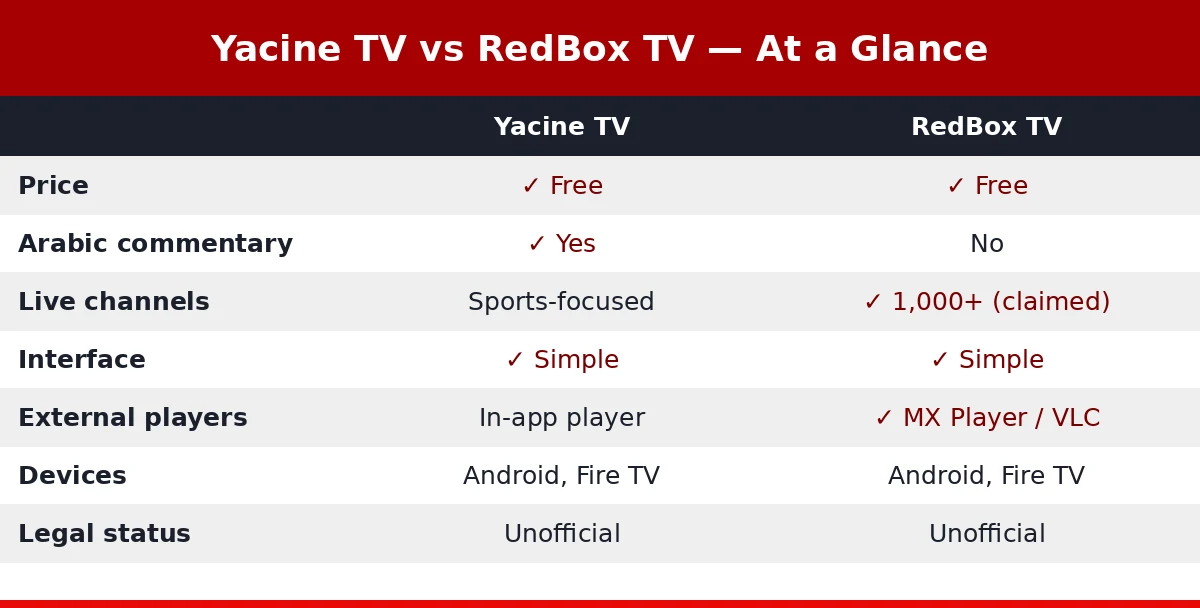
Yacine TV vs RedBox TV: the full comparison table
| Feature | Yacine TV | RedBox TV |
|---|---|---|
| Price | Free | Free |
| Legal status | Unofficial | Unofficial |
| Arabic commentary | Yes | No |
| Channel count | Sports-focused selection | 1,000+ channels claimed |
| Interface | Sports-first, simple | Category lists, simple |
| Playback | Built-in player | External players supported (MX Player, VLC) |
| Devices | Android, Fire TV (sideload) | Android, Fire TV (sideload) |
| Ads | Yes | Yes |
| Install route | APK file | APK file |
Channels and focus
- Yacine TV is curated around sport: football first, with the Arabic sports channels its audience opens daily. The list is short enough to learn by heart.
- RedBox TV advertises 1,000+ channels across countries and categories — sports, entertainment, news and more. The catalogue is the product; expect more browsing and more dead ends than in a curated sports list.
- Neither app owns its streams, so link quality rises and falls with the source — breadth (RedBox) gives you more alternatives per match, focus (Yacine) gets you to the big channels faster.
Arabic commentary
As with every free rival, this row is one-sided. Yacine TV’s sports channels carry Arabic commentary as the default experience. RedBox TV’s channels speak the languages of their home countries; its sports coverage is wide but not Arabic-led.
If commentary language decides your evening, it decides this comparison too.
Playback: built-in vs external players
- Yacine TV plays inside its own player: open a channel and it starts. Fewer settings, fewer surprises — the right design for most viewers.
- RedBox TV can hand playback to external players such as MX Player or VLC. Enthusiasts like the extra control — buffering settings, decoders, gestures — and a strong external player can rescue a weak stream.
- The trade-off is friction: first-time setup, player prompts, and one more app to keep updated. Casual viewers rarely miss it; tinkerers swear by it.
Devices and installation
Both are Android APKs and sideload onto Fire TV and Android TV identically; neither offers iOS. The Firestick guide covers the shared install route, and the device checker confirms your screen’s options before you start.
RedBox TV’s tiny file size is a genuine plus on old or nearly-full devices.
Ads and safety
Both apps are ad-supported and unofficial, and both attract fake “mod” copies — the dangerous files in this niche are almost always the clones, not the originals.
Keep to the routine in our safety guide: trusted sources only, verify the Yacine TV file with the hash verifier, and refuse permissions an app has no business asking for.
One RedBox-specific wrinkle: the app offers to remove ads in exchange for sharing your device’s idle bandwidth with a third-party proxy network (Bright Data). That is a real privacy trade-off, not a free lunch — leave it off.
When a channel misbehaves in either app, the errors and fixes guide covers the standard repairs.
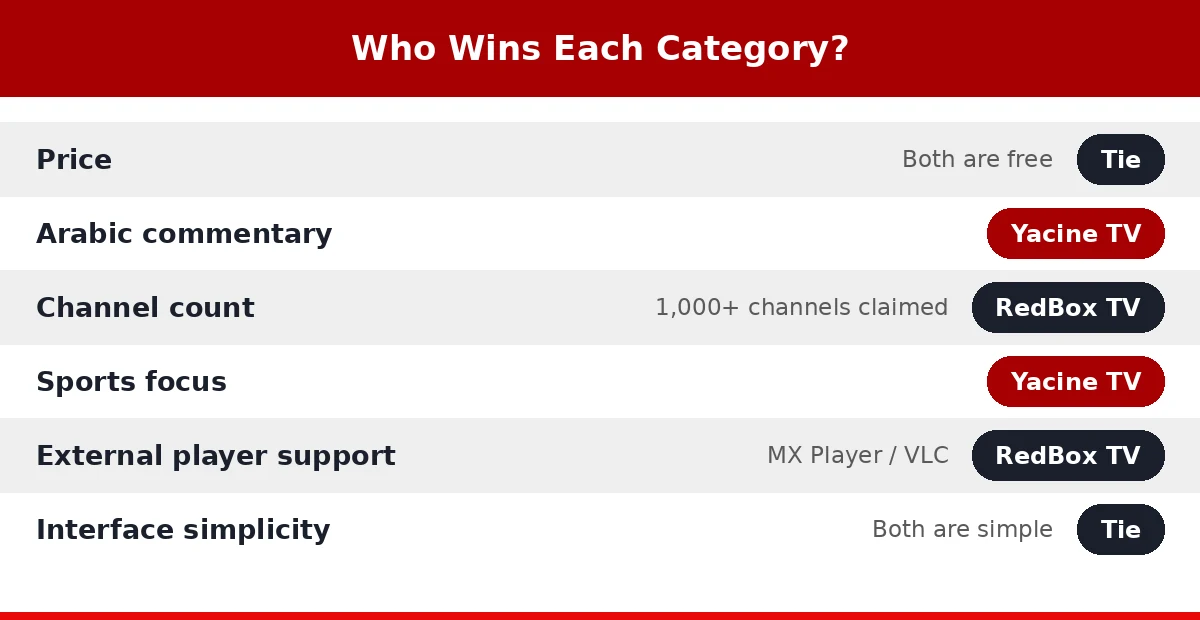
Who should choose which?
Choose Yacine TV if…
Advantages
- Football is the main event in your house
- Arabic commentary matters
- You want playback that needs zero setup
Limitations
- You want thousands of international channels
- You prefer MX Player or VLC for playback control
Choose RedBox TV if…
Advantages
- You browse TV from many countries, not only sports
- Your device is old or short on storage
- You already use and like external players
Limitations
- Arabic commentary is a must
- You want the fastest route to today’s match
Frequently asked questions
Which is better, Yacine TV or RedBox TV?
For football with Arabic commentary, Yacine TV. For a light, huge, international channel list with external-player control, RedBox TV. They are both free, so the practical answer is to keep the one that matches your evenings — or both.
Does RedBox TV have Arabic commentary?
No. RedBox TV’s channels carry their original languages. Arabic commentary is Yacine TV’s defining strength.
Why do people pair RedBox TV with MX Player?
Because RedBox TV can delegate playback to external players, and MX Player’s decoders and buffering controls often handle weak streams better than a basic built-in player. It is an enthusiast setup — more control, more steps.
Are Yacine TV and RedBox TV safe to install?
Both are unofficial APKs; the risk sits in fake copies, not in the names. Download from trusted sources only, verify files before installing, and avoid anything labelled “mod” or “premium unlocked”.
Which app is lighter on an old phone?
RedBox TV. Its APK is lightweight — roughly 10-30 MB depending on the build — and undemanding, which is why it survives on ageing devices. Yacine TV is also light by modern standards, but RedBox wins this specific row.
The verdict
RedBox TV is the better general-purpose free TV app; Yacine TV is the better football app. For this site’s readers — match first, Arabic commentary always — Yacine TV takes the comparison.
Install it through the verified Android guide, and keep RedBox TV in mind for the nights you want to browse the world’s channels instead.
More head-to-head comparisons
- Yacine TV vs beIN CONNECT — the official MENA rival compared
- Yacine TV vs DAZN — the global official platform compared
- Yacine TV vs Live NetTV — the closest free rival, channel by channel
- All Yacine TV alternatives compared — the full list, official and free