
🔒 Downloaded it? Check your APK file here — instant verification
📱 Not sure Yacine TV works on your device? Check compatibility first
Yacine TV for Android is one of the most popular apps for streaming live TV channels, sports, movies, and TV shows on Android smartphones and Android TV devices. With its simple interface and user-friendly design, it has become the preferred choice for users seeking a fast, reliable way to watch content on the go.

As online streaming demand continues to rise, Yacine TV APK for Android offers a stable viewing experience with high-quality streams, regular updates, and access to a wide library of Arab and international channels, all without needing a traditional satellite receiver. It’s ideal for fans of sports, entertainment, and live broadcasts.
Why Users Prefer Yacine TV on Android
- Free Live Streaming: Watch sports matches, news, entertainment, and movie channels without subscription fees.
- Clean, Intuitive Interface: Easily navigate between categories and channels.
- Daily Updates: New matches, movies, series, and TV programs are added regularly.
- Customizable Stream Quality: Adjust resolution from 240p to 1080p depending on internet speed to avoid buffering.
- No Account Required: Completely free to use with no sign-up needed.
- Today’s match schedule, updated daily with kickoff reminders.
- Light and fast — runs smoothly even on low-end phones.
How to Download and Install Yacine TV for Android
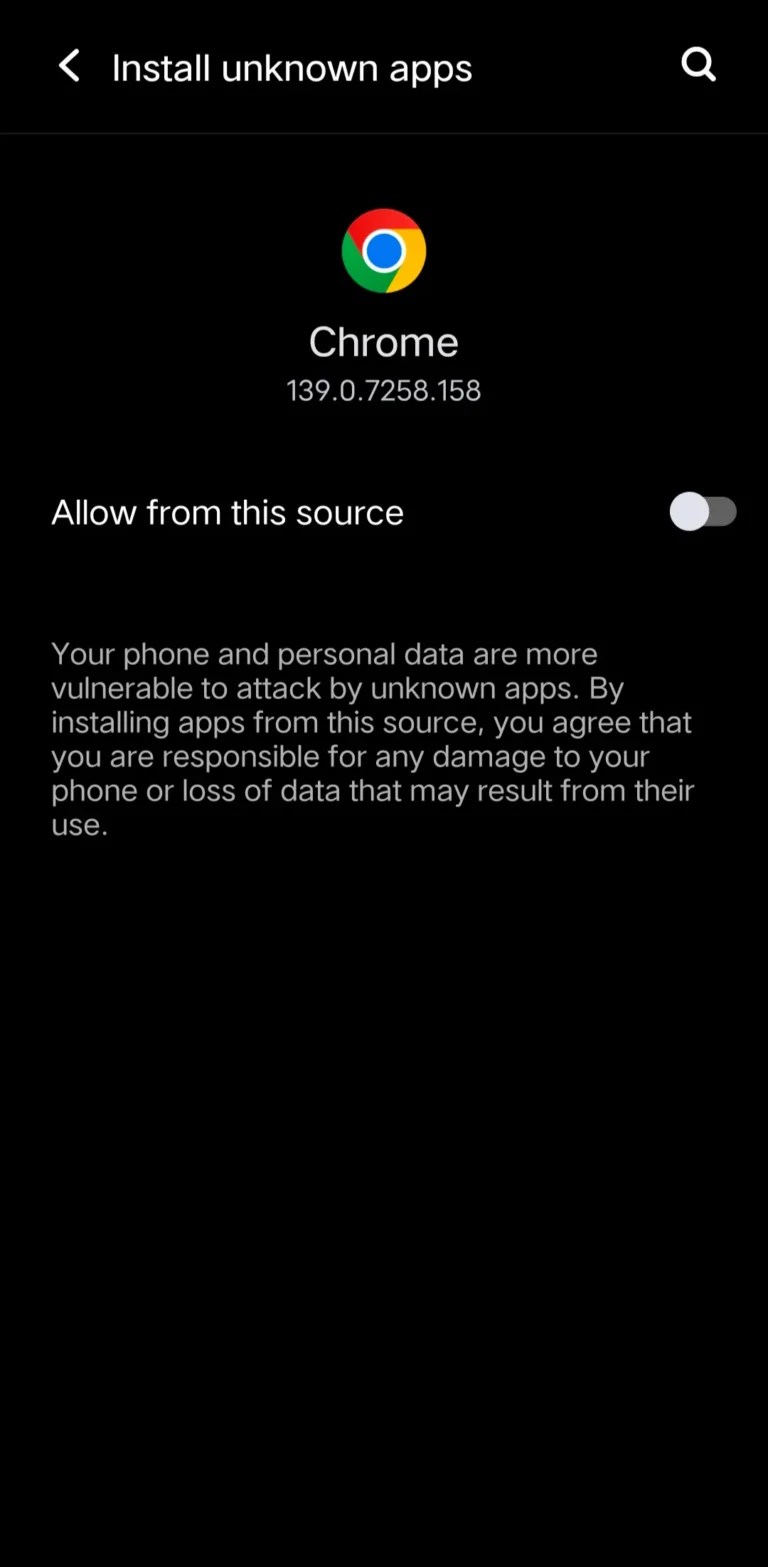
Step 1: Enable Unknown Sources
- Go to your device settings:
Settings → Apps → Special App Access → Install Unknown Apps - Enable permission for your browser or file manager to install APK files.
Step 2: Download the APK
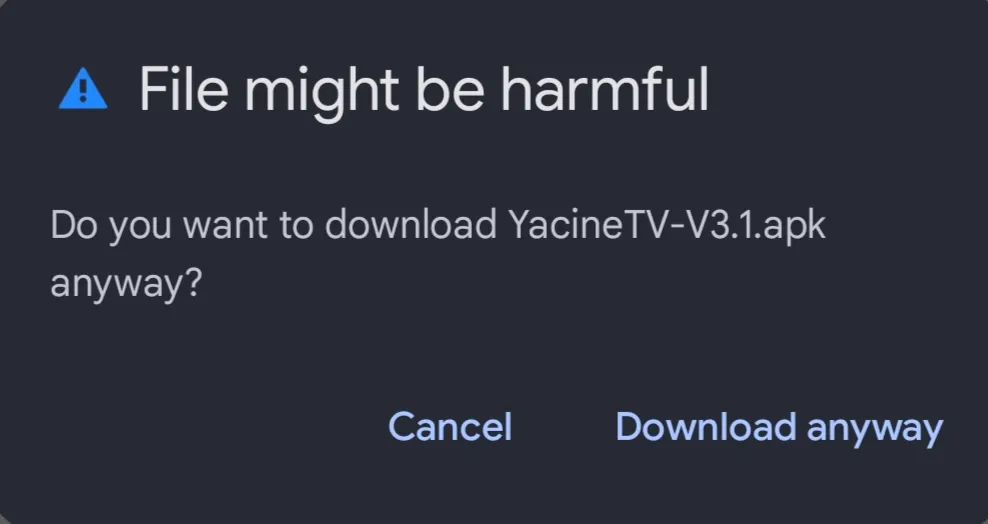
- Visit a trusted website, like this site
- Download the latest version (for example, v3.2 or v3.1, ~8 MB).
Once downloaded, Verify Your Yacine TV APK File before installing.
Step 3: Install the App
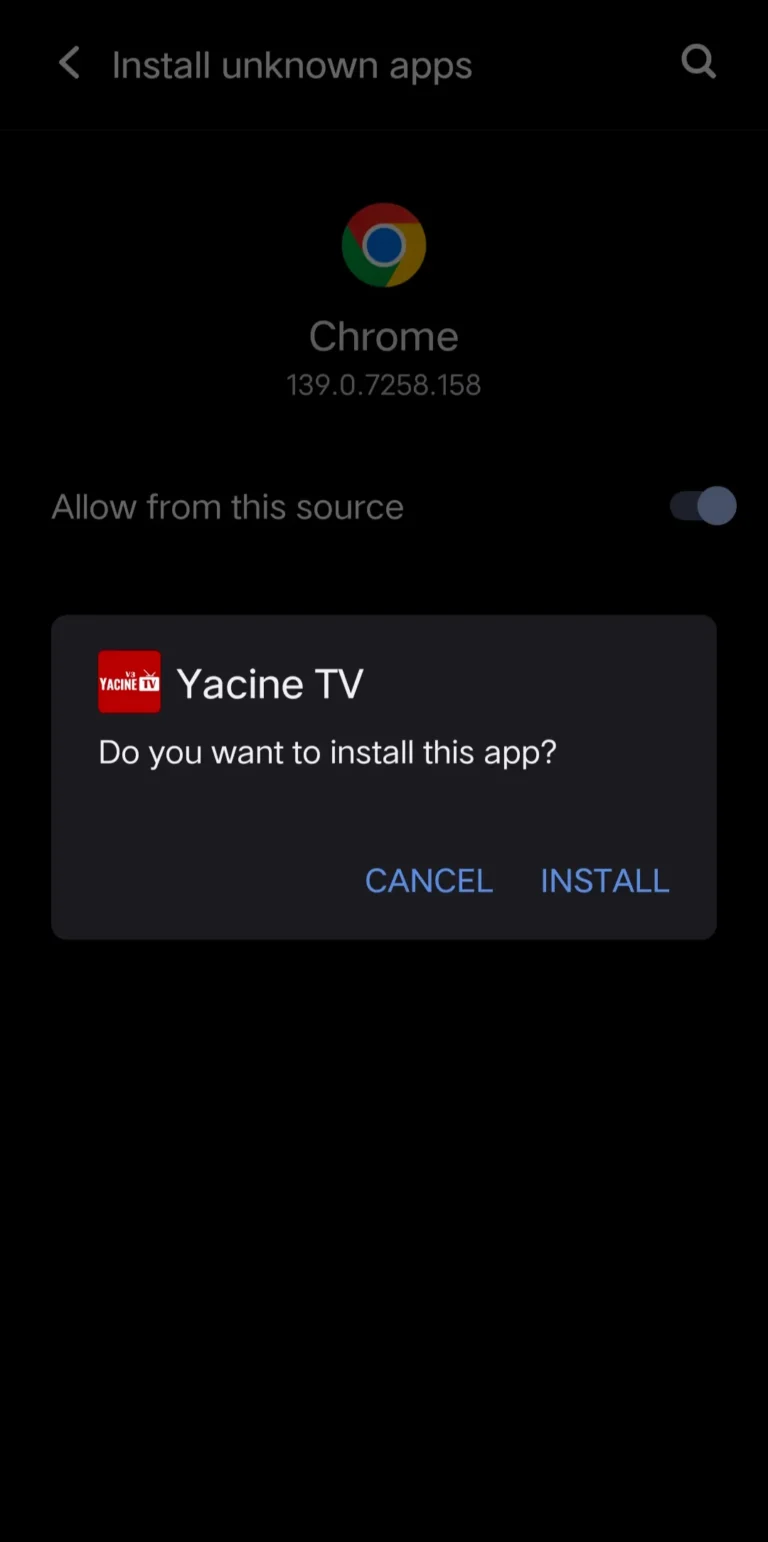
- Open your file manager and locate the downloaded APK.
- Tap Install and grant necessary permissions.
- Launch the app once installation is complete.
Step 4: Optional – Install an External Player
- On first launch, you may be prompted to install YTV Player Pro or VLC Player for improved stability and higher streaming quality.
Key Features and Useful Options in Yacine TV
- Thousands of Live Channels: Sports, news, movies, series, and children’s programs.
- Chromecast Support: Stream directly to your TV for a bigger screen experience.
- Multiple Streaming Options: Background play, customizable quality, and multi-language support (Arabic, French, English).
- Live Sports Coverage: Watch UEFA Champions League, Premier League, La Liga, Serie A, Ligue 1, African Champions League, and more.
- User-Friendly Interface: Smooth navigation using touch gestures, mouse, or keyboard on Android TV or Fire Stick devices.
Limitations and Considerations
- Legal Status: Streaming some channels may be unlicensed in certain countries.
- Not on Google Play: Requires manual installation via APK.
- Security Risks: Downloading from unofficial sources may expose your device to malware.
- Variable Quality: Streams may differ depending on app version and internet speed.
FAQs About Yacine TV for Android
Conclusion
Yacine TV for Android is an excellent solution for live sports fans and entertainment lovers, offering free streaming of popular TV channels, movies, and sports events. Always download from trusted sources, enable unknown sources on your device, and enjoy a vast library of content safely.
Disclaimer: This guide is for educational purposes only. Users should comply with local broadcasting laws and avoid using content in ways that violate copyright regulations.
Yacine TV for PC, Smart TV and iPhone
- PC (Windows/Mac): install an Android emulator such as BlueStacks or Nox Player, then install the APK inside it following the same steps.
- Smart TV guide: for Android TV, copy the APK to a USB drive and install it on your TV using a file manager.
- Yacine TV alternatives for iPhone: there is no official iOS version of Yacine TV.
Common Yacine TV Download and Install Problems
- App won’t install: make sure “unknown sources” is enabled and your phone has enough free space.
- Parse error: the APK file is probably corrupted — re-download it using the download button above.
- App crashes on launch: clear the app cache in your phone settings, or reinstall the latest version.
- Errors guide: more fixes for channels not loading — try switching the stream quality or server inside the app, and check your internet connection.
Choosing between free apps? See how Yacine TV stacks up against beIN CONNECT, DAZN, Live NetTV and RedBox TV in our head-to-head comparisons.